


Favorites
Favorites is a feature that allows you to save your treasured items on MotionCreate Market. If you see something you like, but you're not ready to use it, simply save it for a future project.
How do I access my Favorites?
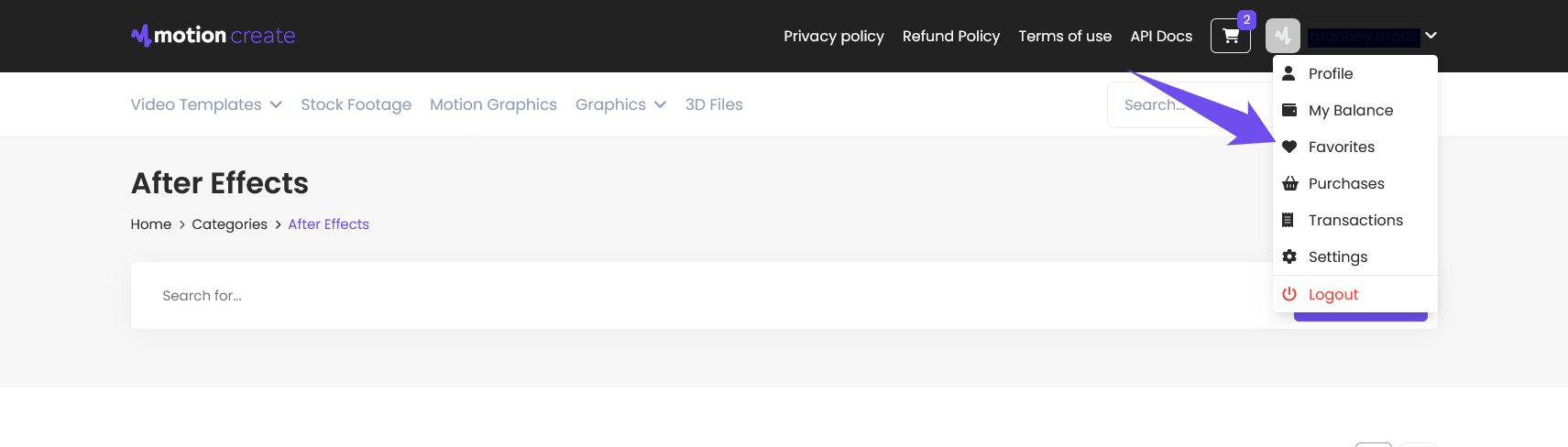
You can easily access your favorite items via the 'Favorites' link located in your profile drop-down menu.
How do I add an item to my Favorites?
To add an item to your Favorites:
Sign in to your MotionCreate account.
On an item thumbnail or page, click the heart icon.
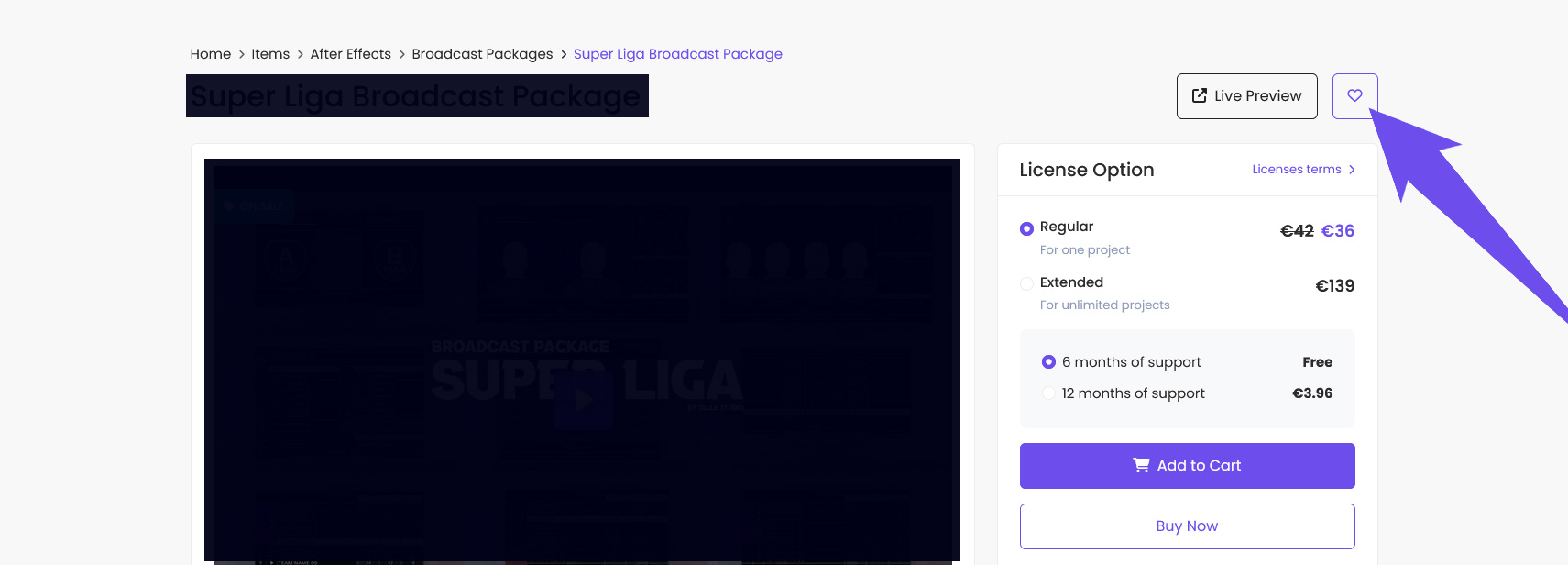
The icon will turn blue, which means the item has been successfully added to your Favorites.

How do I remove an item from my Favorites?
To remove an item:
Go to your profile drop-down menu and click 'Favorites'.
Hover over the item you wish to remove.
ℹ️ Alternatively, you can go to the item's page and click the purple heart icon.
Was this article helpful?
0 out of 0 found this helpful